broadcast.exe
RUNNING_
INTRODUCING REELBUTLER
September 27, 2026
I wanted to give an early look at something I've been building: ReelButler, a native macOS app for organizing a movie and TV library.
The idea is simple. Drop a folder of downloaded video files on it, and ReelButler figures out what each one actually is, matches it against TMDB and TheTVDB, and renames and sorts everything into a clean, Jellyfin/Plex/Kodi-friendly structure: proper folder names, correct episode numbering, matching subtitle files renamed and language-tagged alongside them, and NFO metadata files written out for each title. It also supports a watch-folder mode, so new downloads can get organized automatically without opening the app at all.
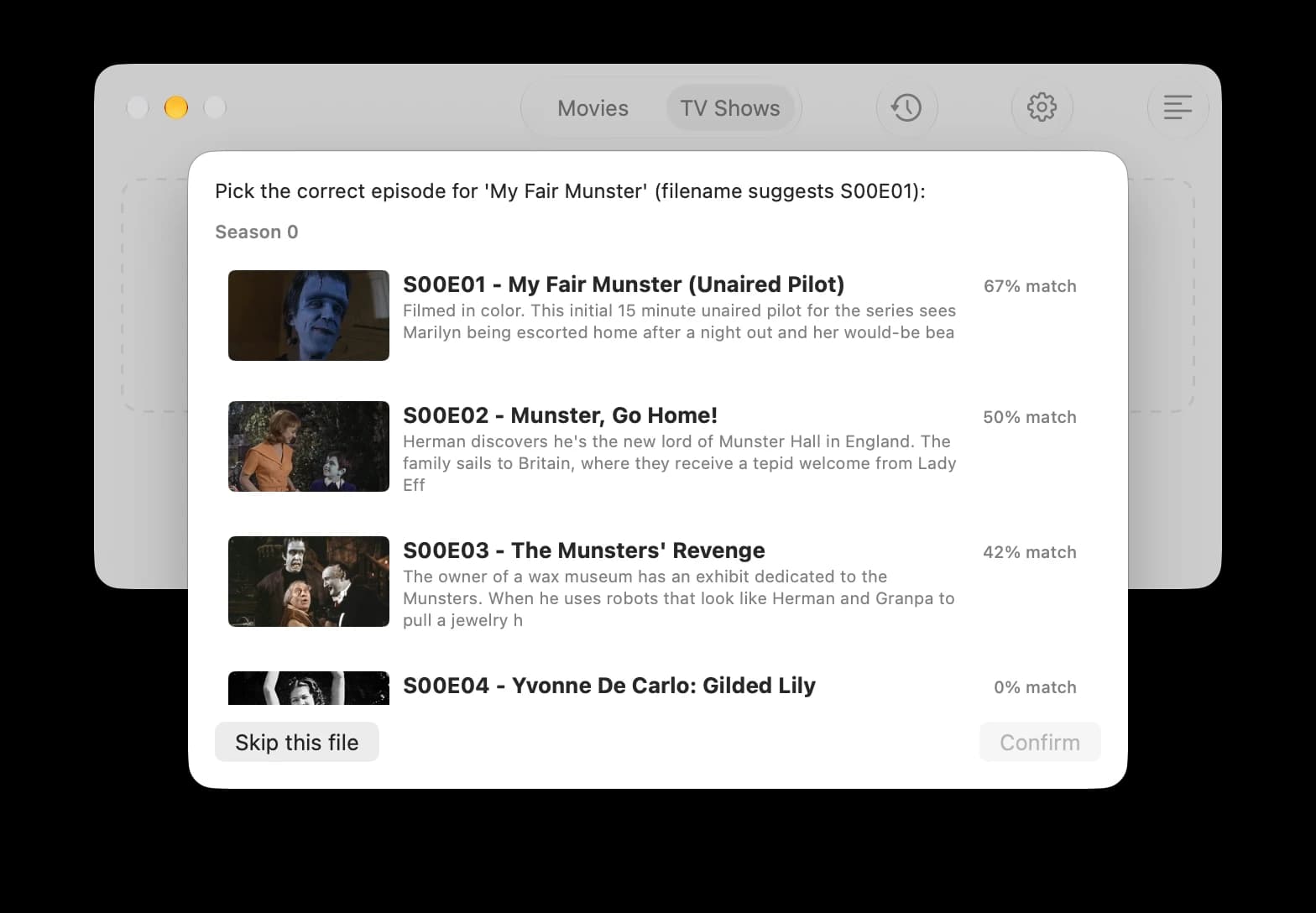
Matching isn't always a sure thing: filenames lie, episode numbering gets weird, and sometimes there's a real ambiguity to sort out. When ReelButler isn't confident, it surfaces the candidates ranked by match confidence and lets you pick, rather than silently filing something under the wrong title.
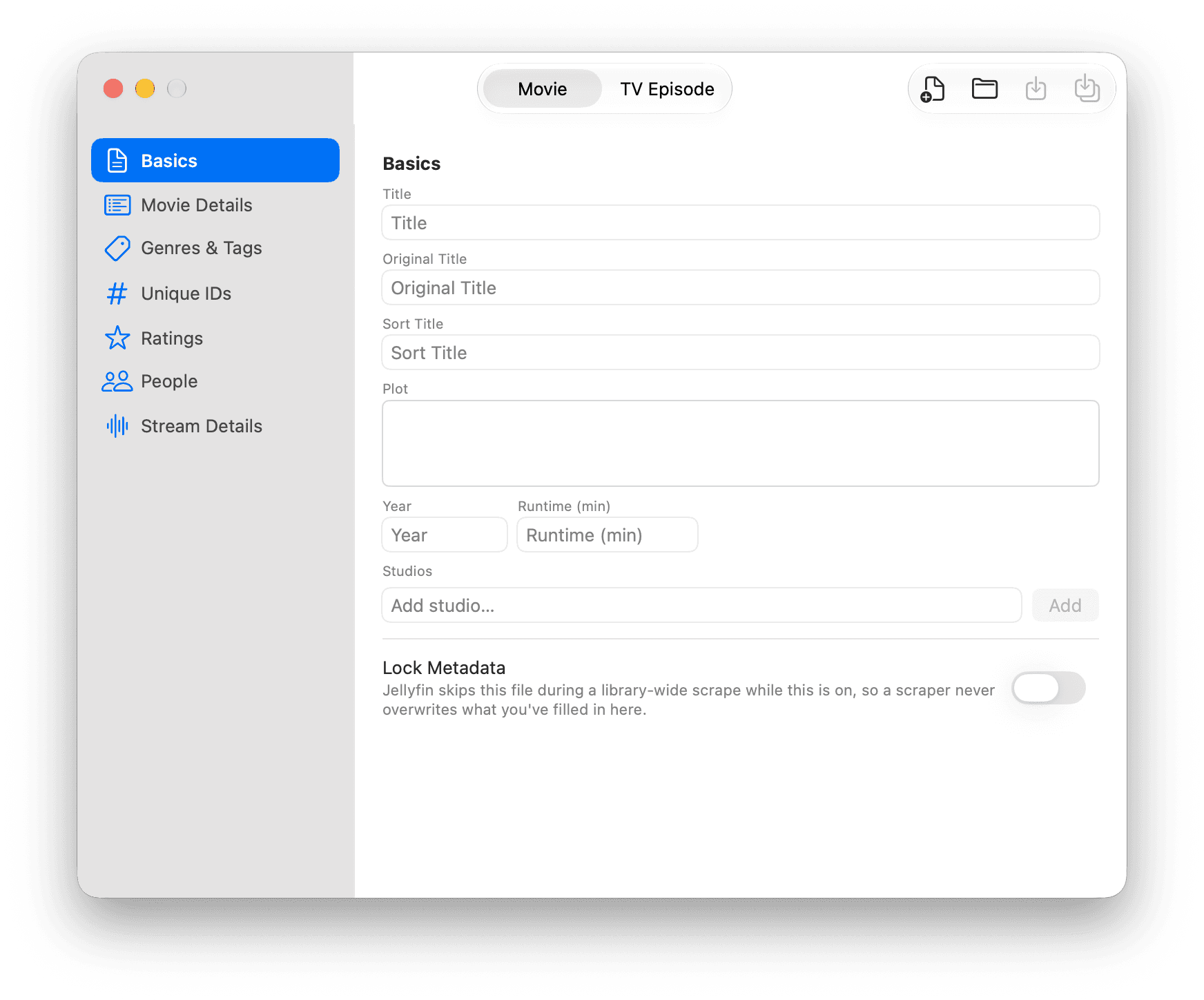
That metadata isn't locked to whatever TMDB or TheTVDB handed back, either. There's a full editor for it: title, plot, year, runtime, studios, genres and tags, unique IDs, ratings, cast and crew, all editable by hand, with a per-file lock so a future library-wide scrape won't quietly overwrite what you've fixed.
It's still early (I'm currently working through version 0.1.x), but the core matching and renaming pipeline is up and running. More updates as it gets closer to a real release.